Awake while it codes. Asleep when it’s done.
Start a long run in Claude Code or Codex, then walk away. CleanKey keeps the Mac awake while the agent works and lets it sleep the moment it stops. It also locks the keyboard and trackpad so you can wipe them clean.
macOS · notarized · free to download
What it does
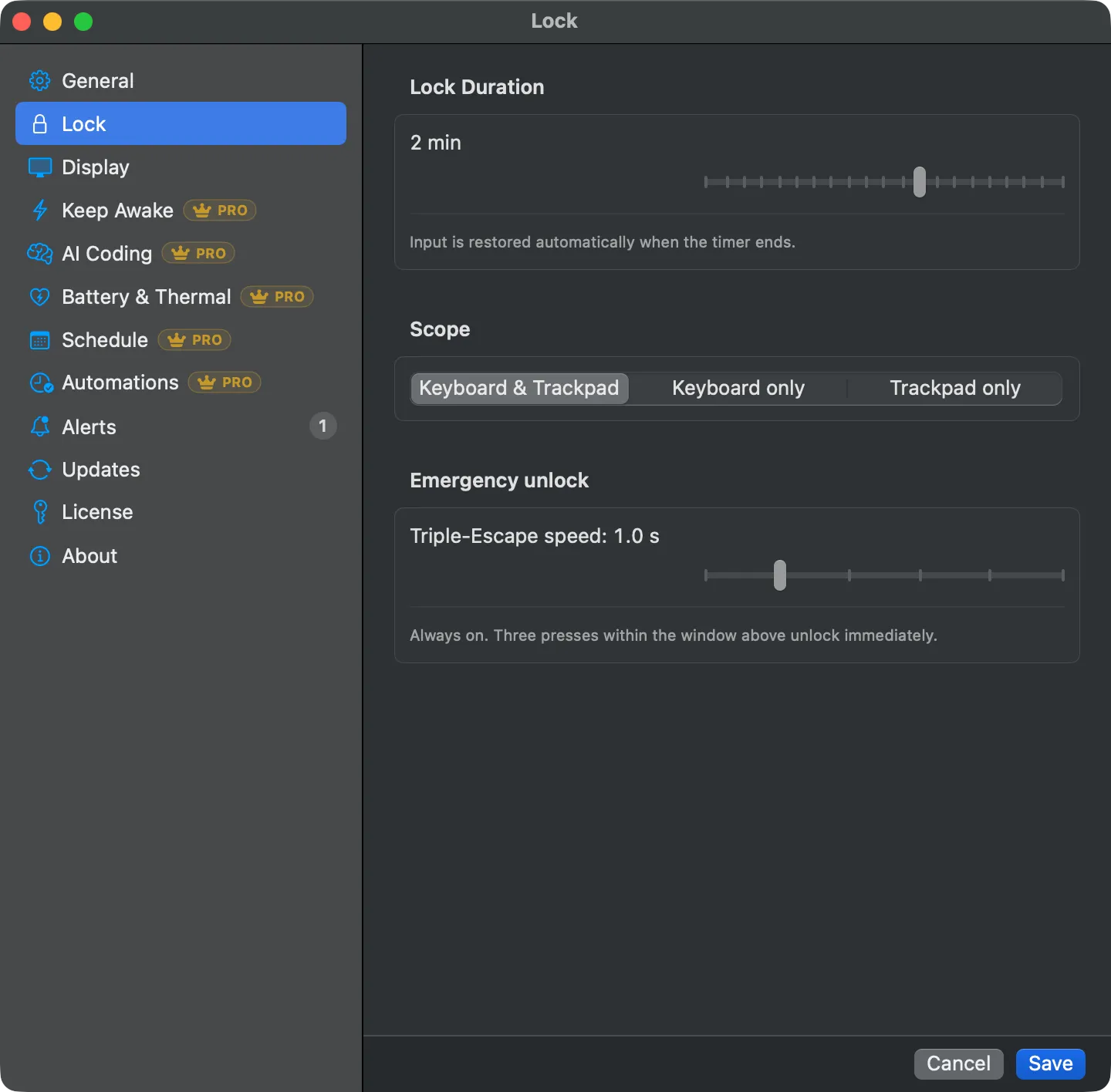
Click the menu-bar icon and pick a duration to lock the keyboard and trackpad, then clean the keys without triggering anything. A countdown shows the time left, and three quick presses of Escape unlock immediately if you need out. That part is free.
The Pro tier adds keep-awake: stop the Mac (and optionally the display) from sleeping, with real safety rails. It pauses when the Mac runs hot, steps aside when the battery gets low, can stay awake with the lid closed, and can follow a weekly schedule. The headline Pro feature is AI coding mode, which links keep-awake to your AI coding agent’s activity and can close the loop by running an action sequence when the agent is done.
Free vs Pro
| Feature | Free | Pro |
|---|---|---|
| Lock keyboard + trackpad for cleaning | ✓ | ✓ |
| Lock scope: keyboard+trackpad or keyboard-only | ✓ | ✓ |
| Quick-pick lock durations | ✓ | ✓ |
| Triple-Escape emergency unlock | ✓ | ✓ |
| Countdown overlay / HUD | ✓ | ✓ |
| Global hotkey to lock | ✓ | ✓ |
| Sound feedback, launch at login | ✓ | ✓ |
| Alerts Center (state-change log) | ✓ | ✓ |
| Auto-update (Sparkle) | ✓ | ✓ |
| Keep Awake (system + display) | — | ✓ |
| Auto-off cap + re-enable on launch | — | ✓ |
| Battery guards (only-while-charging, % cutoff) | — | ✓ |
| Thermal protection (pause when hot) | — | ✓ |
| Clamshell keep-awake (lid closed) | — | ✓ |
| Weekly + one-shot schedule | — | ✓ |
| AI coding mode (Claude Code / Codex) | — | ✓ |
| End-of-session automations (notify, run Shortcut, lock, sleep) | — | ✓ |
AI coding mode (the flagship)
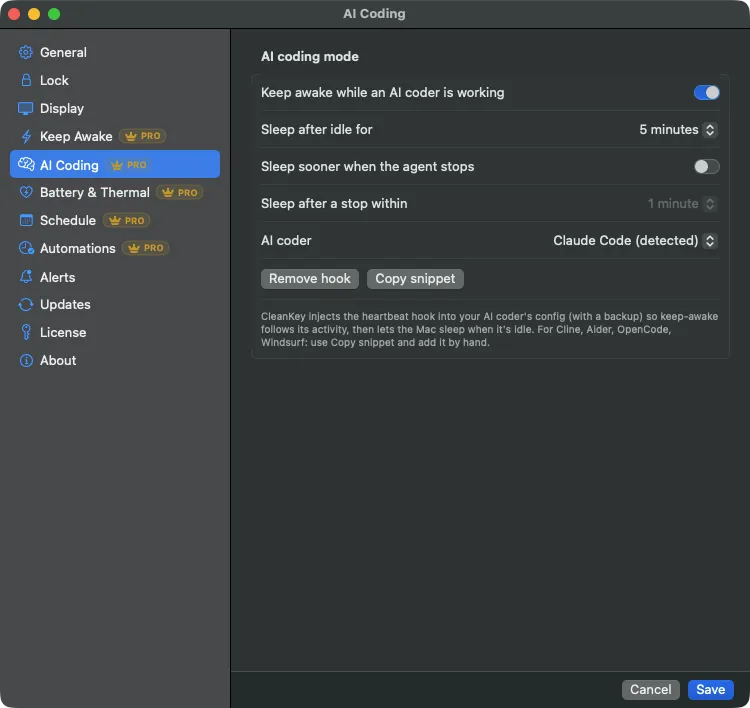
Run a long task in Claude Code or Codex and walk away. While the agent works, the Mac stays awake; when it stops, the Mac sleeps. CleanKey watches a small heartbeat file that your AI tool’s hooks touch on each unit of work. If the file was touched recently, the agent is active and keep-awake is on; once it goes stale past your idle timeout, keep-awake releases.
It is tool-agnostic on purpose: CleanKey watches a file, not a specific product, so anything that can touch a file drives it. It is also fail-safe: if the agent crashes, the terminal closes, or a hook never runs, the window simply lapses and the Mac sleeps. It never gets stuck awake.
Setup is one paste. The pane has a “Copy hook setup” button; drop the result into Claude Code’s ~/.claude/settings.json (or the Codex equivalent). After an app update the installed hook refreshes itself, so the commands it injects always match the current version with no manual remove and re-add:
{
  "hooks": {
    "PostToolUse":      [{ "matcher": ".*", "hooks": [{ "type": "command", "command": "mkdir -p ~/.cleankey && touch ~/.cleankey/heartbeat", "async": true, "timeout": 1 }] }],
    "UserPromptSubmit": [{ "hooks": [{ "type": "command", "command": "mkdir -p ~/.cleankey && touch ~/.cleankey/heartbeat", "async": true, "timeout": 1 }] }],
    "SessionEnd":       [{ "hooks": [{ "type": "command", "command": "rm -f ~/.cleankey/heartbeat", "async": true, "timeout": 1 }] }]
  }
}
Close the loop: end-of-session automations
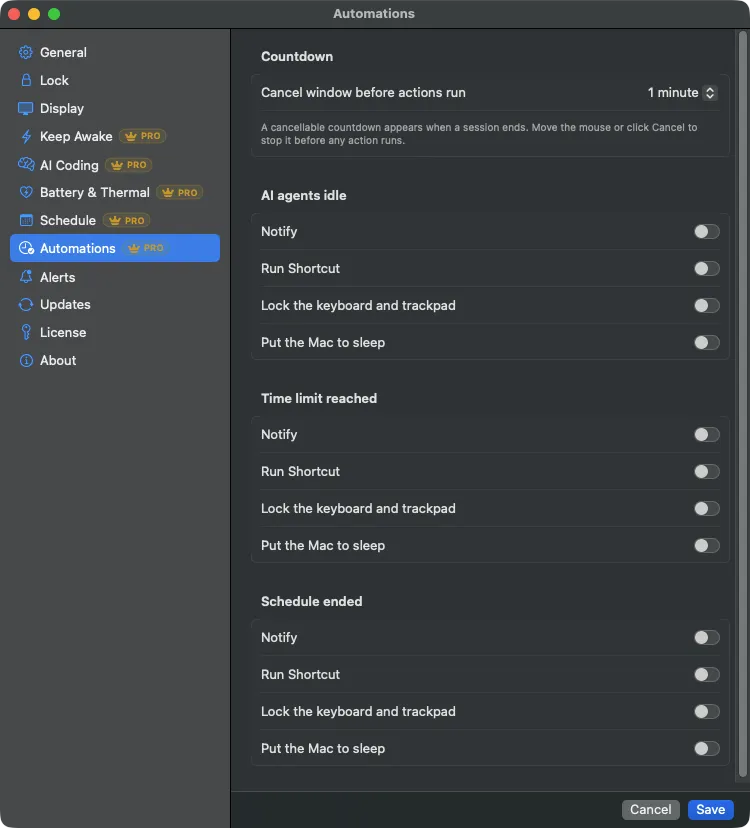
AI coding mode keeps the Mac awake while your agent works. End-of-session automations decide what happens the moment it stops. Pick a trigger, pick the actions, and CleanKey runs them while you are away from the desk.
The flagship case: your agent goes idle for twenty minutes, CleanKey sends a notification, runs your cleanup Shortcut, and puts the Mac to sleep. You come back to finished work and a cool, sleeping machine.
Triggers
- Your AI agent goes idle. The heartbeat goes stale past the timeout, so CleanKey treats the run as finished.
- The keep-awake cap expires. The maximum-duration timer you set runs out.
- A schedule window closes. A weekly or one-shot keep-awake window ends on its own.
Actions, in order
Notify
Post a notification so you know the session ended, even from another room.
Run Shortcut
Run any macOS Shortcut by name. Commit, push, post to Slack, anything Shortcuts can do, with no extra permissions and no change to how CleanKey is signed.
Lock
Lock the keyboard and trackpad with CleanKey’s own lock, so nothing disturbs the Mac after the run.
Sleep
Put the Mac to sleep once the rest of the sequence has finished.
Every sequence opens with a countdown you can cancel, from ten seconds to five minutes. Move the mouse, press a key, or click Cancel and nothing runs. If your agent picks the work back up, the countdown cancels itself. A failed step never blocks the others, only one sequence runs at a time, and the Alerts Center logs every run.
More Pro guards
Keep Awake
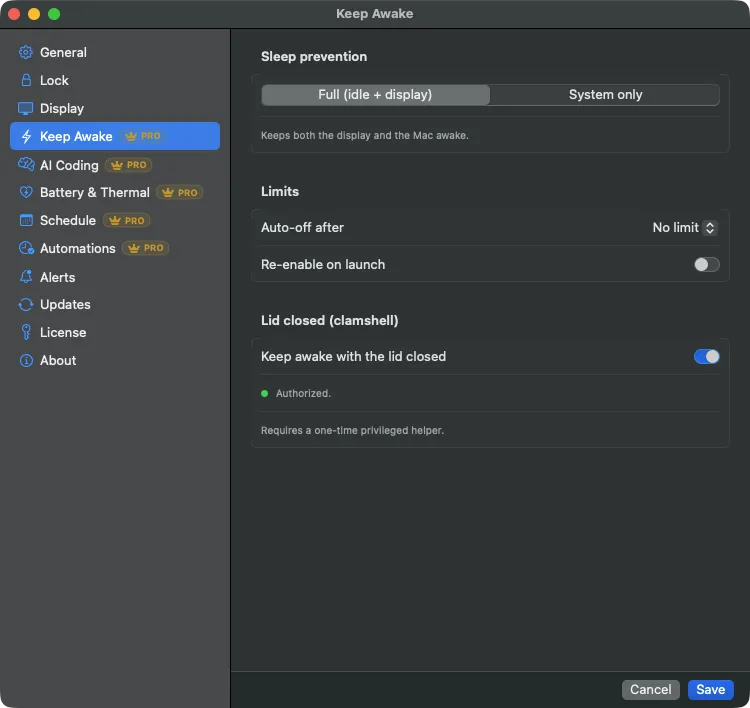
Prevent system sleep, or both system and display sleep. Set a maximum duration so it turns itself off after a few hours, and optionally re-arm on launch.
Thermal protection
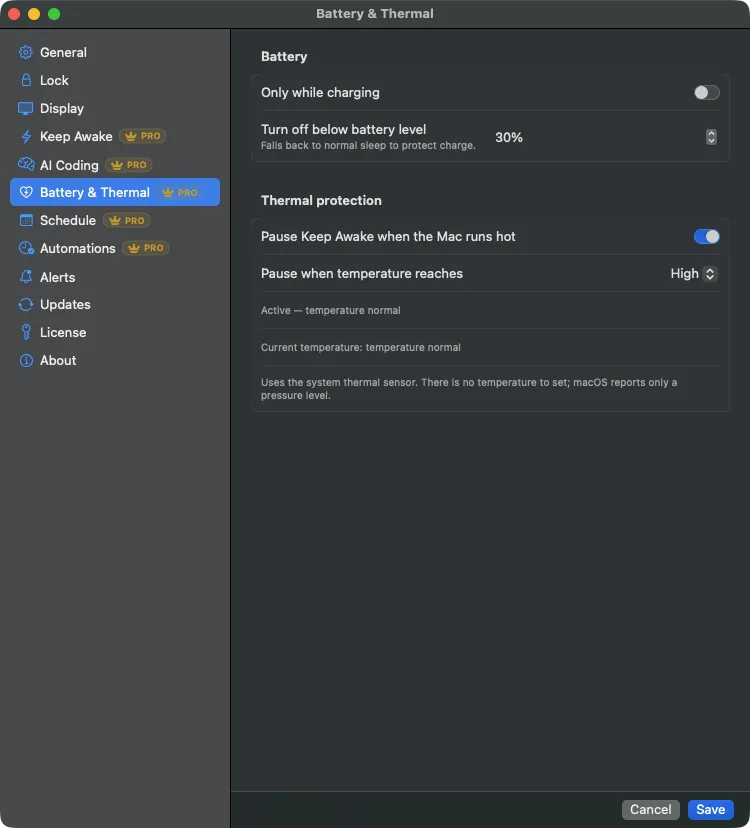
Pause keep-awake when the Mac reaches a thermal pressure level you choose, and resume when it cools. Most keep-awake apps have no thermal guard and lean on macOS throttling instead.
Battery guards
Turn keep-awake off below a battery percentage you set, or only allow it while charging. This protects the charge when you are unplugged.
Clamshell keep-awake
Keep the Mac awake with the lid closed, driven by a signed privileged helper that leases the awake state and clears it automatically if CleanKey stops. A crash or force-quit does not leave the Mac stuck awake.
Schedule
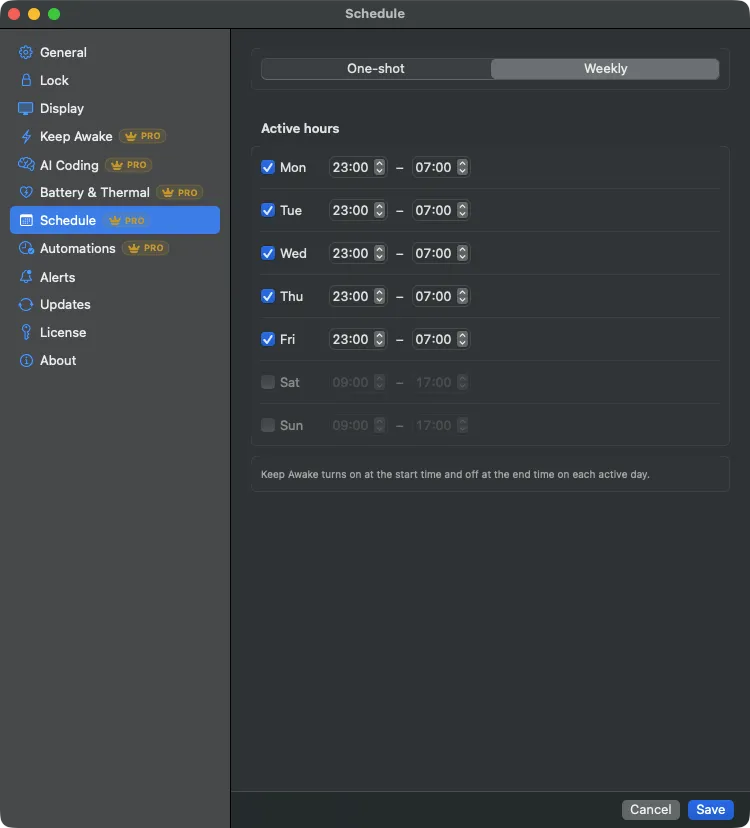
Arm keep-awake for a one-shot window or a recurring weekly schedule, so it turns on and off on its own.
CleanKey vs the alternatives
Facts checked 2026-07; competitors change, so re-verify before relying on this.
| CleanKey | Amphetamine | KeepingYouAwake | Adrafinil (CLI) | |
|---|---|---|---|---|
| Keyboard + trackpad lock | ||||
| Keep-awake | ||||
| Battery % cutoff | (Low Power Mode) | Not documented | ||
| Thermal pause | (relies on macOS) | |||
| Clamshell (lid closed) | (leased helper) | (v5.0+) | (XPC helper) | |
| AI-agent-driven awake | (file heartbeat) | (process/agent) | ||
| Menu-bar GUI app | (command line) | |||
| Notarized paid app | Free | Free / open source | Free / open source |
- Lock plus keep-awake, together. No single app does both; lock tools and keep-awake tools are always separate.
- AI coding mode in a polished menu-bar app, not a CLI. It triggers off a plain file heartbeat, so any tool that can touch a file works, with no dedicated binary to call.
- Thermal pause is rare. Among mainstream menu-bar keep-awake apps, none pause on heat; they defer to macOS. CleanKey pauses at a level you pick.
- Fail-safe by design. The lock auto-releases if Accessibility permission is lost, the clamshell helper clears its lease if the app stops, and the AI window lapses on a missed signal. The Mac is never left stuck.
Who it’s for
The vibe coder
Runs Claude Code or Codex on long tasks and wants the Mac awake during the run and asleep after, without babysitting a timer.
The clamshell power user
Docks to an external display, or runs headless overnight jobs with the lid shut, and wants safety guards so nothing overheats.
Everyone with a dirty keyboard
Wants to wipe the keys and trackpad without typing nonsense, with a guaranteed way out.
Trust and safety
- Notarized by Apple, Hardened Runtime on.
- Auto-updates are cryptographically signed (EdDSA) on top of Gatekeeper, via Sparkle.
- Fail-safe watchdog throughout; wall-clock timekeeping so the countdown survives sleep and wake.
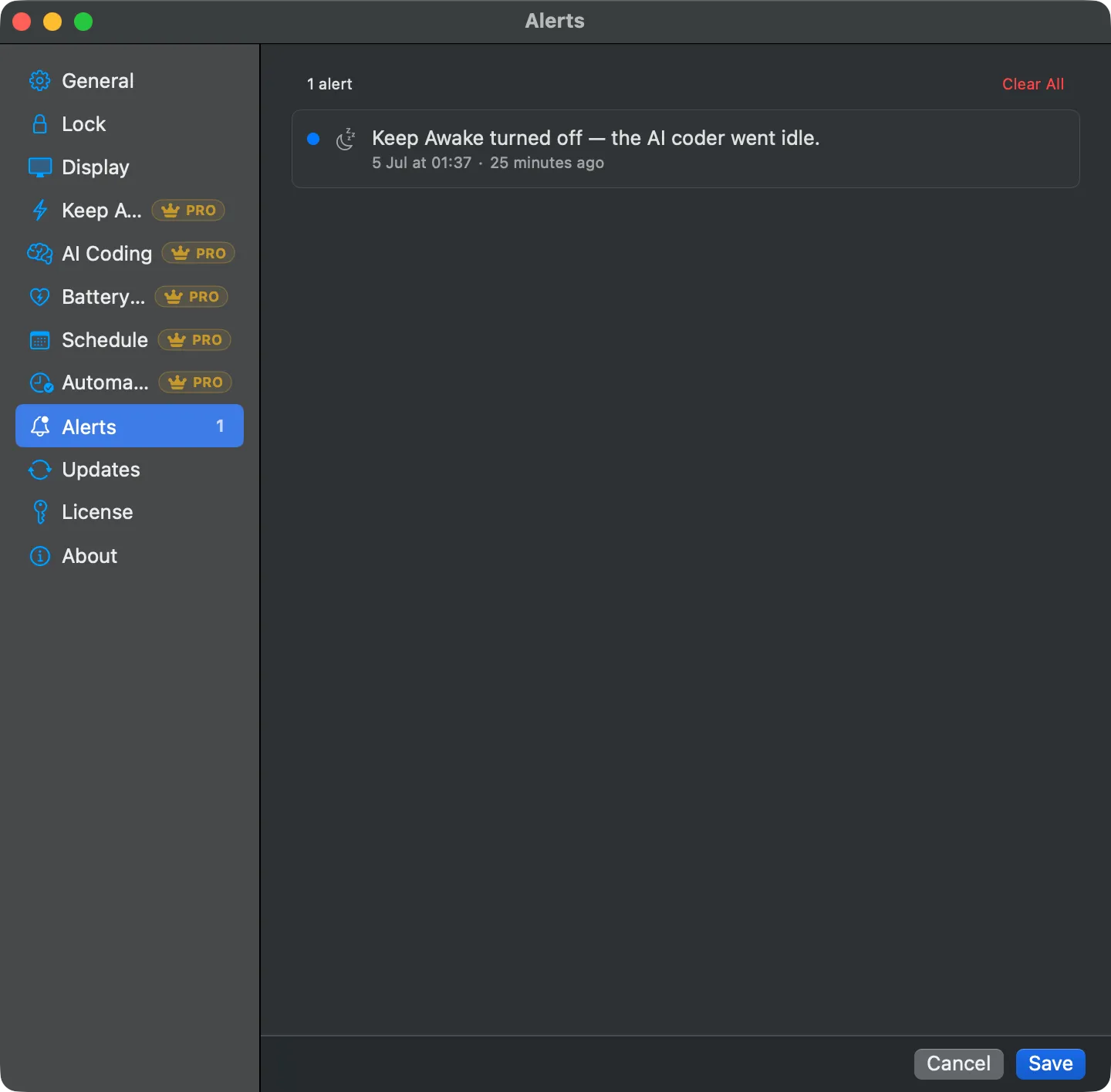
- Transparent Alerts Center logs every automatic state change, so you always see why the Mac was released or the lock ended.
- Local only. Keep-awake follows a file on your own machine; nothing about your work leaves the Mac.
Get CleanKey
The lock is free to download and use. Pro unlocks keep-awake and everything above with a license key, activated in the app and sold through Polar. Pay what you want, from €2.99, with a 14-day refund.
A look inside
FAQ
Does it need Accessibility permission?
Yes, the lock uses it to block input. If the permission is ever revoked, the lock releases itself.
Will keep-awake drain my battery?
Only if you let it. Set a battery cutoff or “only while charging”, and it steps aside when unplugged or low.
Does it work with the lid closed?
Yes, with the clamshell option. It uses a signed helper that clears the awake state automatically if the app stops.
Does AI coding mode work with Codex, not just Claude Code?
Yes. It watches a file, so any tool whose hooks can touch that file works, including Codex.
What can it do when my agent finishes?
End-of-session automations run a sequence you choose: notify, run a macOS Shortcut, lock, then sleep. A countdown you can cancel runs first, and nothing happens if you move the mouse or the agent starts working again.
What if my agent crashes mid-task?
The heartbeat goes stale and the Mac sleeps after the idle timeout. Nothing is left stuck awake.
Will it get hot running overnight?
Thermal protection pauses keep-awake when the Mac gets too warm and resumes when it cools.
How do updates work?
Built-in, signed, one click. The app checks, downloads, verifies, installs, and relaunches.
How do I buy CleanKey Pro?
Buy a license through Polar, then paste the key into the app’s License pane. Every Pro feature unlocks, and the lock stays free either way.
How much does Pro cost?
Pay what you want, from €2.99, with €4.99 suggested. One payment, not a subscription, and the license is yours to keep.
Can I get a refund?
Yes. If Pro is not for you, ask within 14 days and you get a full refund.
Is it a subscription?
No. You pay once, keep the license, and updates arrive in the app.
How do I get help?
Email [email protected] and I will get back to you.